






I have received & used your product, unfortunately i have faced two issues: - phone size 15 pro max after adding keyboard became really oversized for daily use. - as Arab country you need to add arabic letters for easier experience.

Took a couple weeks to get used to, but I really enjoy it. Helpful for formatting emails. Obviously large for the pocket, but not a dealbreaker. Backlit keyboard is a plus. Charging is seamless.
This keyboard is my new tech BFF. It’s so fun to use, with a two-week adjustment period, and after two months and some monkey-type practice, I felt confident in using it. It is so satisfying to use the keyboard, and my fingers are happy not to touch the screen as much. This case connects automatically and seamlessly. The iPhone charges well with the case on. The case is durable. No complaints, other than let's have the next one with a D-pad! I am going to buy a second one for work. If you reminisce about your Sidekick like I did almost on a daily basis, just buy the case!
This keyboard was very well thought out and it's functionality is superb! A rare treat for those who prefer an alternative to the glass slab society we live in today!
I’m totally hooked on my Clicks keyboard. But it took some time to adapt to the keyboard and there were times I wanted to quit. But it is like learning to ride a bicycle. Seems impossible and difficult, and them everyting clicks (see what I did there?) and the process is seamless and natural. My advice is to give Clicks a try, and give it time. There’s a gererous 30 day return, so use that time to adapt and adjust, and you will never look back.
I’ve been following the Click project since the very beginning and was so excited for its launch — and I just have to say: it has completely lived up to my expectations. First of all, a huge thank you to the team behind Click for not only delivering a serious and well-thought-out product, but also for showing that the company itself is just as solid and professional. I initially purchased 5 Clicks and I absolutely love them. The concept is brilliant and honestly, it has made a huge difference in my workflow. The app is super intuitive, everything connects smoothly, and it’s just one of those tools you quickly wonder how you lived without. I’m already planning to get 4 or 5 more — that’s how useful they’ve been for me. Now, I also want to highlight the customer service, which was honestly one of the best experiences I’ve had. Two of my Clicks were unfortunately defective, and when I reached out, not only did they refund me without even asking for a return, but they also sent me a coupon as a kind gesture. That kind of support really shows that they care about their customers and stand behind their product. All in all, I’m so happy to have supported this project from the start. It’s rare to see a company deliver so well on both product and service. Highly recommend it to anyone — especially if you’re looking for ways to boost productivity in a simple, elegant way. Super impressed!
excellent user experience and super fast customer support even i am based in india and i am an very very old blackberry user i was very much in problem while typing and using the touch mobiles this sorted my problem to 99.99 percent still miss the bb logo and that red light of notification but i m back and using the phone back as usual the best thing about this is super efficient customer support i have ever seen from a company super proffesional and out of the way helpful which will take clicks to way longer i wish them best and thanks for bringing keyboard back to us you have an lifetime customer with you that is me will soon be shifting to iphone 17 pro and will be going for clicks asap. Thank you clicks lots and lots of love from india
Writing this review on my Clicks right now. As someone who grew up with a BlackBerry and missed the feeling of physical keys, Clicks has been amazing! I don’t want to use my phone without it now.
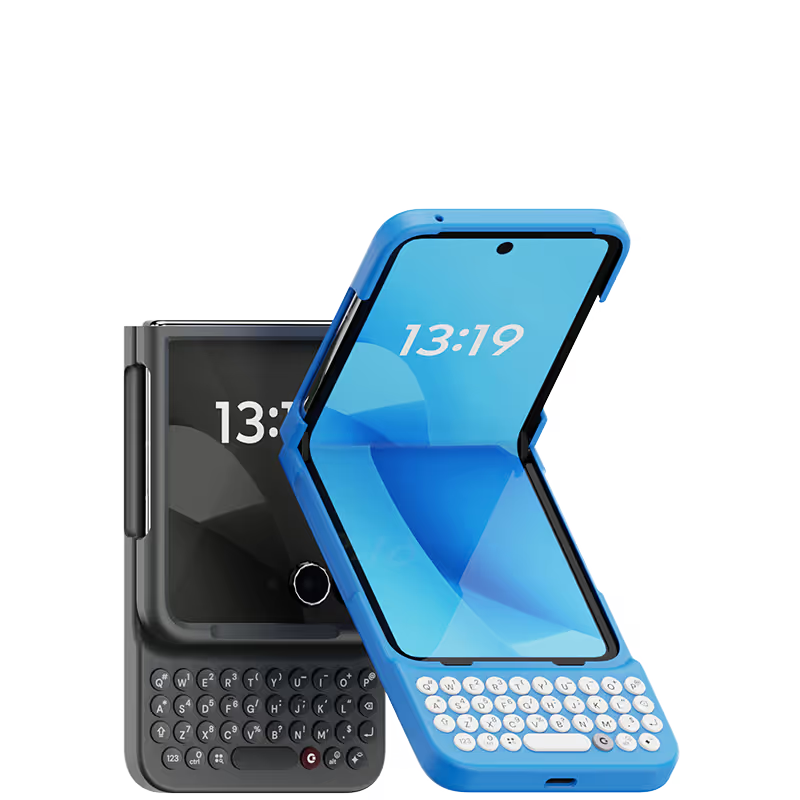
This keyboard makes for a great combo with the Razr Plus! You get the full keyboard experience while keeping the phone small in your pocket - something that wasn't possible with the Pixel 9 Pro, for example. The first keyboard they sent me had an issue with the shift button, but they sent me a replacement after a few weeks.

.avif)


.webp)
.avif)


