



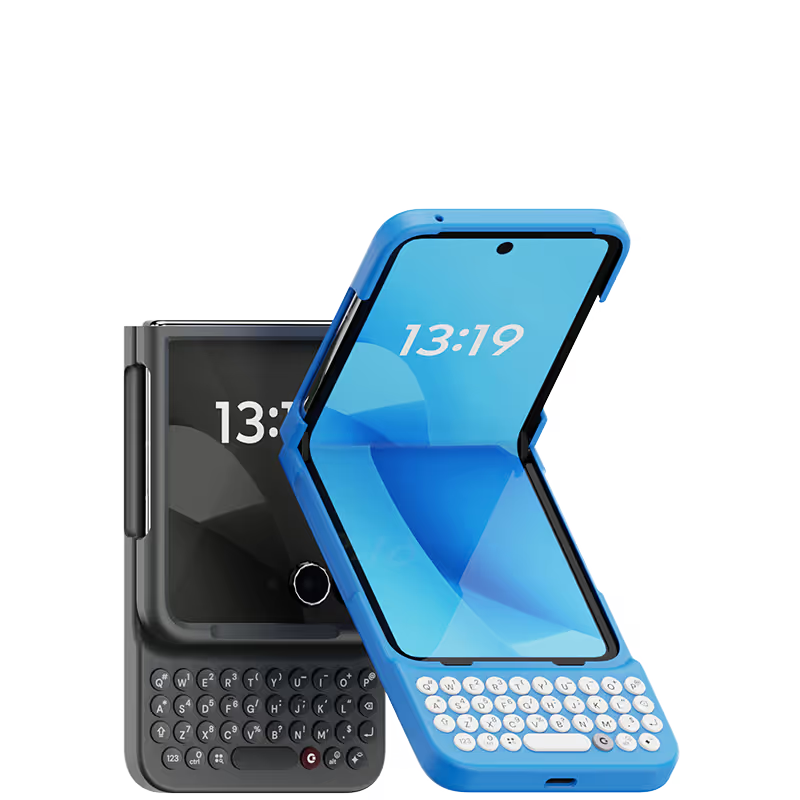



Took a couple weeks to get used to, but I really enjoy it. Helpful for formatting emails. Obviously large for the pocket, but not a dealbreaker. Backlit keyboard is a plus. Charging is seamless.

ever since I switched from a blackberry to an iPhone, I’ve been frustrated trying to type with a keyboard and with that darn AutoCorrect constantly making it difficult for me to get a sentence across. For the past decade, I’ve been joking that I wish I can get my blackberry back because I miss the feeling of the textile keypad and being able to actually feel and see and touch the buttons that I want to hit. Then, I found clicks! It’s like they were listening to my thoughts and created a product. That’s exactly what I was hoping for. The Bunce feel perfect, everything works perfectly with my phone, no glitching, no problems whatsoever. If you were sick of fighting with your iPhone and just want something that you can use that is clean, crisp, and you can finally get the satisfaction of typing and hitting the buttons that you want to hit. Then get yourself a Clicks.
Love the old school keys that i had on my blackberry back in the day i love this feel and the sound of the clicking
Clicks is brilliant enhances the experience of messaging with a physical keyboard and enables useful quick shortcuts 😀
It’s massive, it's gorgeous, it's a frutiger aero fever dream with a side of BlackBerry nostalgia. Clicks for iPhone completely transforms the way you use your phone, mostly for the better. The typing is smooth and fast, the muscle memory clicks in almost immediately if you’ve ever used a qwerty phone. The system and in-app shortcuts are awesome. Multilanguage keyboards on iOS work flawlessly, which is a must for my use. The only elephant in the room are the actual elephantine dimensions of your device with the case on. And i have an iPhone 15. Cannot imagine lugging along a Pro Max. I’d love the next version to either cover parts of the screen, to slide out or maybe fold out. Otherwise, it's mad, beautiful and won't be leaving my phone for quite a lot of time.
Love the case, old school blackberry vibes
I love the feel of this keyboard on my iPhones, definitely makes me more productive when I need to type.
I had to reach out to customer support a few times due to customs issues in my country, and they responded patiently every single time. The product itself is absolutely amazing! Every creator should have one—it’s not just a case, it’s a piece of inspiration you carry with you.
As long time blackberry users and fans, this has been a great peripheral for us. They all work great so far. Not as good as the BB keyboards but a close second. Hopefully they continue to work for a long time to come.
I really like how user friendly it is Just plug and play

.avif)


.webp)
.avif)


