Black Friday ends soon! Save up to 63%!
Shop now

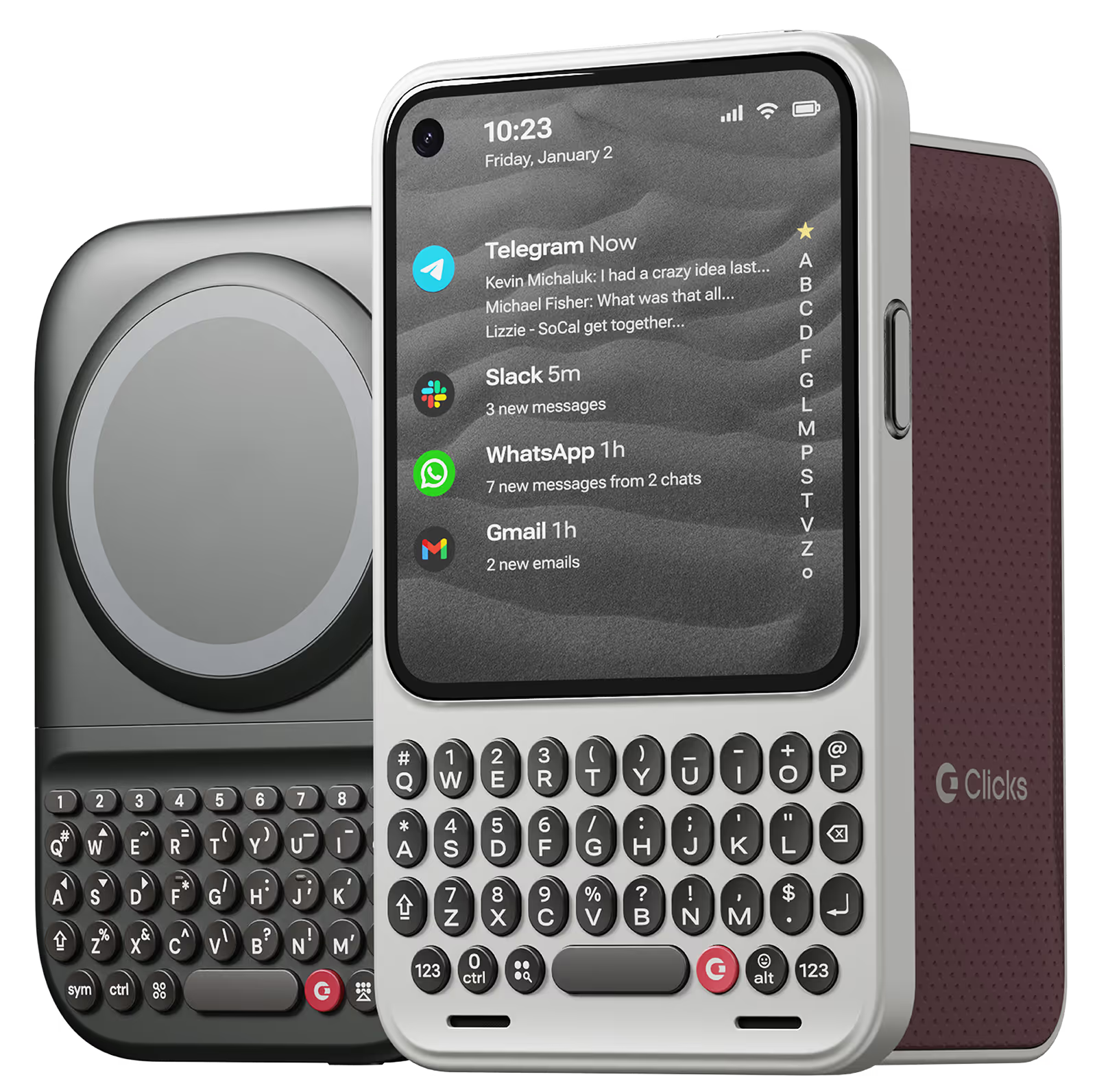
Why you'll love Clicks.

1
Feel satisfying real buttons
Pressing real buttons and hearing that little clicking sound feels more natural and rewarding.
Replay
2
Elevated premium protection
Brushed metal side keys, a microfibre lining, and a new enclosure that feels great while adding protection inside and out.
Replay
3
See more screen
Free your screen, with 50% more usable display to work, play, surf, chat and engage with your content.
Replay
4
Take action, faster
Launch customized shortcuts at the push of a button. Personalize your keyboard to control your home, launch apps, text or call contacts.
Replay
5
Keep your laptop at home
Make more happen right from your phone without needing to crack open your laptop.
Clicks for iPhone
Available for iPhone 16, 15 and 14.
In stock & shipping now.
Buy Now
Clicks for Pixel
Pixel-perfect productivity.
Available now.
Buy Now
Clicks for Razr
Pocket-sized. Power-packed.
Available now.
Buy Now

Buttons with benefits.

More Screen

Get 50% more usable display to work, play, surf, chat and engage with your content.

Customizable Shortcuts

Launch custom actions at the push of a button.

Powerful Productivity

Real buttons that help you work smarter while away from your desk.

What Clicks users are saying.

Based on 5,328 user reviews.
John A.
Clicks for iPhone 14 Pro

Overall I have really enjoyed using my Clicks Keyboard, it works really well with the iPhone 14 Pro Max. It does make the phone quite a lot longer, but that is a small price to pay for all of the additional usability it provides from the great keyboard to significantly more screen real estate.

Visit source
Heidi C.
Clicks for iPhone 16

I've had this almost an entire month by this point, and I love being able to touch type on my phone again <3 It's definitely worth every penny, in my opinion. I would absolutely purchase this again, and I would recommend this purchase to others. That being said, there are a couple of improvements that could be made, which is why I am leaving 4 stars instead of 5. 1 ) Sometimes the buttons on the left side (Q, A, Upper Case, 123) get stuck for a bit. I am unsure if this is a user error or a design error. 2) I do wish the case had a bit of weight behind the keyboard itself - it took a couple of weeks to get used to how top heavy the phone feels in this case. 3) I wish the keyboard was a full keyboard - I use the '+' symbol a lot, and it's annoying to have to remember to use the specific "keyboard up" key rather than the world "emoji" key to get the on screen keyboard. A full keyboard has a "+" sign already. I understand why Clicks doesn't have a full keyboard - the phone would be hella long with it, I suppose. 3.1) Alternatively, it would be awesome if I could create custom keystrokes using the clicks key + another key on the keyboard. This would allow the option of having/using additional special characters customized to each user.

Visit source
Tang Kor Kwan
Clicks Keyboard for Pixel 9/9 Pro

Been a physical keyboard user for more than 20 years. Clicks has nicely filled a gap in the physical keyboard domain while allowing user the freedom to choose between IPhone/Android. Can see alot of potential in Clicks and had already read many suggestions from other users which I am looking forward to see. Thanks Clicks.

Visit source
Marcos A.
Clicks for iPhone 15

My phone became too big and I couldn’t put in my pocket. The keyboard actually does a clicking sound but after a while it’s too loud, it could be more of a soft typing. The lights of the keyboard go off all the time and when it’s dark I have to press any button to turn it on then start typing which I wish it detected that I’m about to start typing so I can see the keyboard. Rather than that it was good. It takes give you more screen and more precise typing but than the space it gives to the screen its takes from the size of the phone. I prefer having a smaller size phone without the big keyboard.

Visit source
Will M.
Clicks for iPhone 15 Pro

Clicks is a lifesaver for remote work on the go. One of the most frustrating parts of working remote is still feeling glued to a laptop. If there's an urgent email or message I can respond from my phone but it can get tricky to accurately respond when I have to keep juggling reading the entire message or typing. Aside from any practical justification Clicks is just plain cool. It feels good to well click!

Visit source
Prisco S.
Clicks for iPhone 15 Pro

The excitement of having a physical keyboard died down a bit when I realized that the backlight was not very bright for me. So I contacted Clicks and a week later, Clicks updated their app to enable customization of their physical keyboard.

Visit source
Karen E.
Clicks for iPhone 16

It is fantastic. There is a learning curve, but the daily emails with tips and tricks for the first week were super helpful. At least three people I know have ordered after seeing mine. If you abhor typing on a screen and miss the days you could fly on your ‘Berry, this is for you. Thank you, Clicks!

Visit source
Ian H
Clicks for iPhone 15

Having a real keyboard again is fantastic. I can touch type with so few errors again. The feedback from the buttons is great. The keyboard itself is a perfectly ergonomically designed. A great great all round product.

Visit source
Greg T.
Clicks for iPhone 16 Pro

it took some getting used to, but it’s well worth it. I enjoy my Clicks!

Visit source
Karl P.
Clicks for iPhone 15

Clicks doesn't feel like an add on accessory it feel sort of the phone. When i take it out its case sometimes, the iphone just feels lost with it (clicks). Ive loved communicating with Kevin and helping to create, develop and brining to life Clicks Mode which i felt was a huge missing part of the clicks functionality. Typing on it is just beautiful, precise, tactile and a pleasure. Having full screen availability in all apps when typing has increased my productivity and ability to use my phone for more uses such as Pages, Keynote, iMovie etc. Well done to all involved.

Visit source

Clicks has you covered.
Try for 30 days.

It takes a week or two to get used to typing on real buttons –  you’ll need a little bit of patience and perseverance. Trust our tens of thousands of customers, it’s so worth it!

If it’s just not for you, we’ll give you your money back, no questions asked.