Black Friday ends soon! Save up to 63%!
Shop now

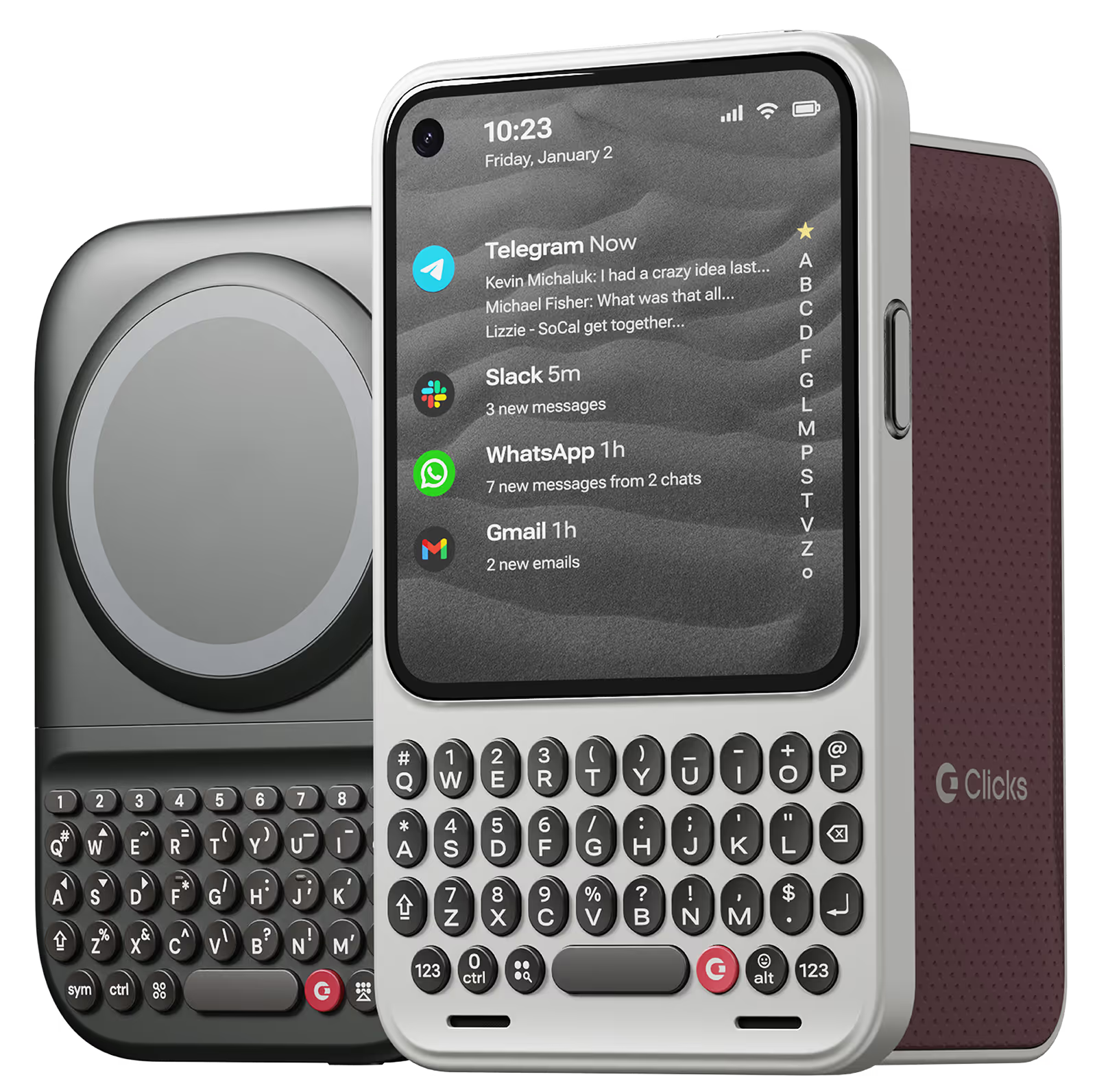
Clicks for iPhone 17

Thinner. Lighter.

More productive.

Our best and most refined keyboard case yet.

Why you'll love Clicks.

1
Feel satisfying real buttons
Pressing real buttons and hearing that little clicking sound feels more natural and rewarding.
Replay
2
Elevated premium protection
Brushed metal side keys, a microfibre lining, and a new enclosure that feels great while adding protection inside and out.
Replay
3
See more screen
Free your screen, with 50% more usable display to work, play, surf, chat and engage with your content.
Replay
4
Take action, faster
Launch customized shortcuts at the push of a button. Personalize your keyboard to control your home, launch apps, text or call contacts.
Replay
5
Keep your laptop at home
Make more happen right from your phone without needing to crack open your laptop.
Clicks for iPhone
Available for iPhone 16, 15 and 14.
In stock & shipping now.
Buy Now
Clicks for Pixel
Pixel-perfect productivity.
Available now.
Buy Now
Clicks for Razr
Pocket-sized. Power-packed.
Available now.
Buy Now

Buttons with benefits.

More Screen

Get 50% more usable display to work, play, surf, chat and engage with your content.

Customizable Shortcuts

Launch custom actions at the push of a button.

Powerful Productivity

Real buttons that help you work smarter while away from your desk.

What Clicks users are saying.

Based on 5,328 user reviews.
DanCiesla
Clicks for iPhone 15 Pro

The Clicks case is fantastic! I absolutely love using it to send emails, take notes, and send texts. I’ve only been called a “boomer” six times since I put it on!

Visit source
Mike Kriegbaum
Clicks Keyboard for iPhone 16

Excellent Item and Customer Service 😊

Visit source
Robin H.
Clicks for iPhone 15

It’s massive, it's gorgeous, it's a frutiger aero fever dream with a side of BlackBerry nostalgia. Clicks for iPhone completely transforms the way you use your phone, mostly for the better. The typing is smooth and fast, the muscle memory clicks in almost immediately if you’ve ever used a qwerty phone. The system and in-app shortcuts are awesome. Multilanguage keyboards on iOS work flawlessly, which is a must for my use. The only elephant in the room are the actual elephantine dimensions of your device with the case on. And i have an iPhone 15. Cannot imagine lugging along a Pro Max. I’d love the next version to either cover parts of the screen, to slide out or maybe fold out. Otherwise, it's mad, beautiful and won't be leaving my phone for quite a lot of time.

Visit source
弘貴 對比地 弘貴
Clicks Keyboard for iPhone 16

I use the product every day and I love it. At first, I had a bit of an unbalanced feeling when I was typing on the keyboard, but I got used to it. In short, using the keyboard with an iPhone is the best experience for QWERTY lovers.

Visit source
Prisco S.
Clicks for iPhone 15 Pro

The excitement of having a physical keyboard died down a bit when I realized that the backlight was not very bright for me. So I contacted Clicks and a week later, Clicks updated their app to enable customization of their physical keyboard.

Visit source
Greg T.
Clicks for iPhone 16 Pro

it took some getting used to, but it’s well worth it. I enjoy my Clicks!

Visit source
David L.
Clicks for iPhone 15 Pro

I was skeptical about how good a keyboard attachment for a phone could be, but I'm really impressed with this Clicks keyboard. The keys are well-spaced and have a nice tactile feel to them. The backlight is also a great feature. Overall, this is a great product that makes typing on my iPhone a much more enjoyable experience.

Visit source
Adam Jones
Clicks Keyboard for iPhone 16

I’ve gone to a new phone and been eying up one of these keyboards for a while, absolute game changer….live the blackberry ease on modern day phones, Well built 5/5

Visit source
John S.
Clicks for iPhone 15

Clicks’ keyboard case for the iPhone 14 Pro is a game-changer, merging retro charm with modern functionality. By freeing up screen space and introducing intuitive keyboard shortcuts, it enhances productivity and brings a nostalgic tactile feel to your device. Truly, it’s a low-key impressive accessory.

Visit source
Nicholas T.
Clicks for iPhone 15 Pro

A bit hard to hold. Possible to shift the weight more bottom?

Visit source

Clicks has you covered.
Try for 30 days.

It takes a week or two to get used to typing on real buttons –  you’ll need a little bit of patience and perseverance. Trust our tens of thousands of customers, it’s so worth it!

If it’s just not for you, we’ll give you your money back, no questions asked.