
Click into the keyboard





I thought it was gonna be easy like learning to ride a bike again. I was wrong, but it takes a little more time to get used to physical keyboards again.

Having a keyboard again to maximize the screen is absolutely essential. Felt programmed for years to think otherwise. Couldn't be more grateful for this to be in my hands.
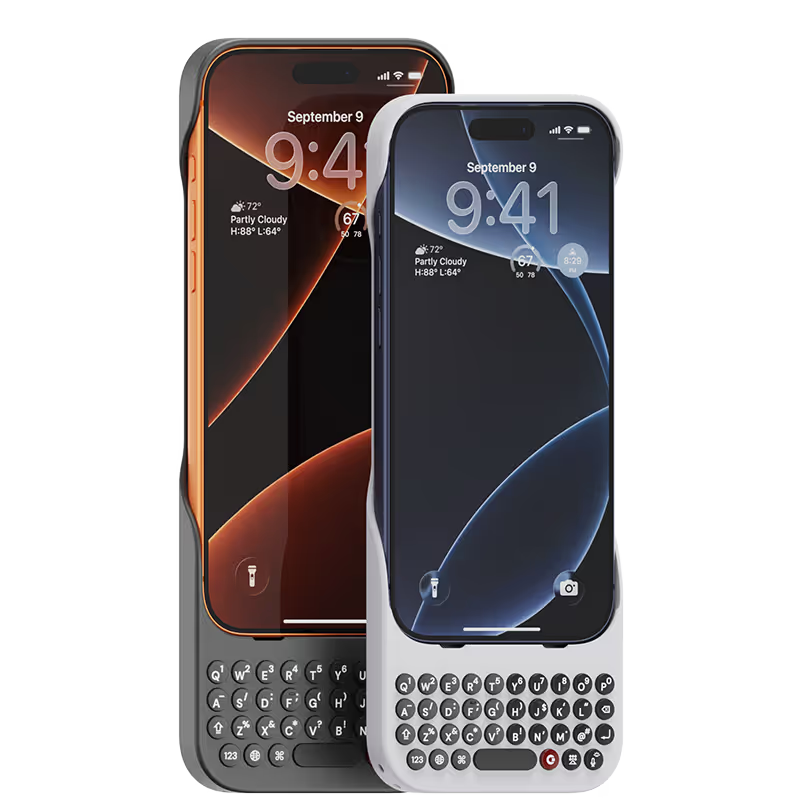
I’ve been a blackberry owner in the past. Ever since phone companies ditched physical keyboards I’ve always thought I really wish there was a way I could have a one on my phone again. I love the tactile feedback of a physical keyboard. There’s a reason laptop companies have never took the same route and went fully touchscreen! I found myself googling “keyboard for iPhone” around a year ago. Then I saw the clicks keyboard. I had mixed emotions because I was happy a company had the same opinion as I did but was sad because it wasn’t out yet for me to try! (I am impatient I know lol!) Now that I have my clicks case it has changed the way I use my phone. As a full time videographer, I'm always using my phone to post content or respond to client inquires. This keyboard has increased my productivity!! I plan on buying a clicks case for all of my future phones!! The “clickyness” of the keys are perfect, the feel of the case is premium. I can tell a lot of thought went into creating this case. I am very pleased with my purchase. A few things I would love to see on version 2 of the clicks case is possibly - larger buttons - dedicated number row - (please don't get rid of the yellow color I love it!) This company understands and I’m so glad I found them! I can’t wait to see whats in store for the future of clicks!
I really enjoy my Clicks keyboard, it allows me to accurately type long messages and is great especially when I am traveling for work.
I'm a writer, and I do a lot of typing on my iPhone. This Clicks keyboard has made a huge difference in my productivity. It's so much faster and more accurate than the on-screen keyboard, and it's really comfortable to type on. I also love that it's so lightweight and portable. I can take it with me wherever I go and get some work done.
I’ve been following the Click project since the very beginning and was so excited for its launch — and I just have to say: it has completely lived up to my expectations. First of all, a huge thank you to the team behind Click for not only delivering a serious and well-thought-out product, but also for showing that the company itself is just as solid and professional. I initially purchased 5 Clicks and I absolutely love them. The concept is brilliant and honestly, it has made a huge difference in my workflow. The app is super intuitive, everything connects smoothly, and it’s just one of those tools you quickly wonder how you lived without. I’m already planning to get 4 or 5 more — that’s how useful they’ve been for me. Now, I also want to highlight the customer service, which was honestly one of the best experiences I’ve had. Two of my Clicks were unfortunately defective, and when I reached out, not only did they refund me without even asking for a return, but they also sent me a coupon as a kind gesture. That kind of support really shows that they care about their customers and stand behind their product. All in all, I’m so happy to have supported this project from the start. It’s rare to see a company deliver so well on both product and service. Highly recommend it to anyone — especially if you’re looking for ways to boost productivity in a simple, elegant way. Super impressed!
I love it !! Im definitely purchasing again once we get more colors. So Nostalgic…
It has been awesome to use Clicks. It has given me the entire screen space back and improved the typing speed. Also, it gets me lot of attention from others.


.webp)
.avif)

.webp)
