
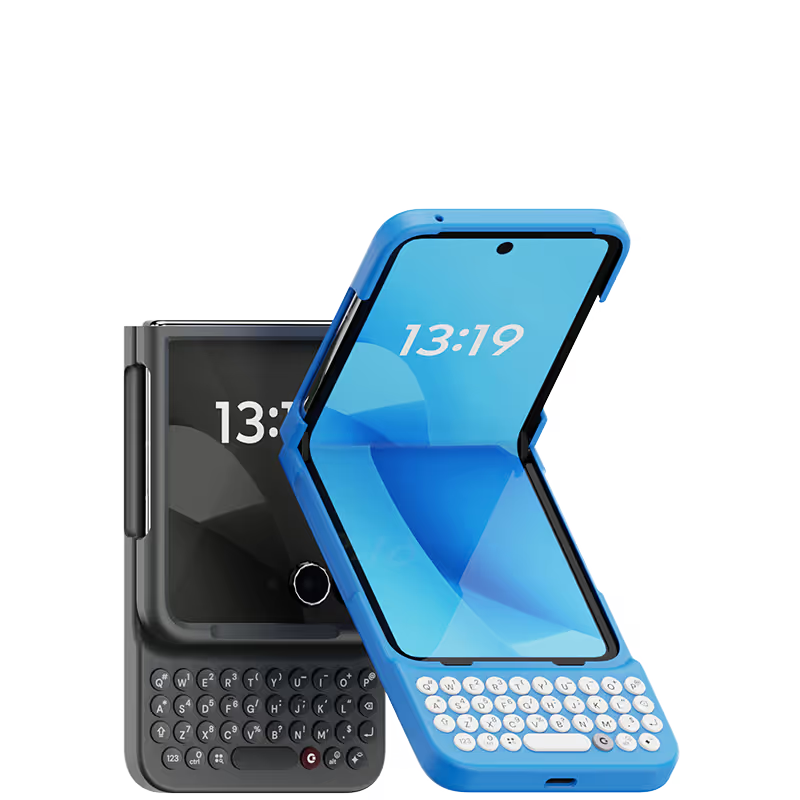



I missed the old keyboards on phones for texting brings back a nostalgia 10/10 would recommend to my friends and family and plus you get back your screen real estate as well which is a bonus 🤩🤩🤩🖤
I love the idea of the clicks. But with the iPhone pro max yikes it’s huge. I can’t put it in may bag easily and I can’t set it in my charger box In my car. So if I’m not going anywhere I then put the case on. It’s hard to hold it and type so I added a pop socket to hold while I type. Glad I’m a fonder. Hope you get better reviews than this. Thanks Becca
i was a long time blackberry user and over the past decade have had to endure virtual keyboards. I wish clicks was available sooner! It took me two weeks to get my thumbs back in action but i am totally sold. Clicks makes my workday so much easier and efficient Thank you
Attention, tech enthusiasts and keyboard warriors! Remember the nostalgic days of tactile typing on your mobile phones? The satisfying clickety-clack that accompanied every text message, email, and hastily written note? Relive those moments with Clicks for iPhone, a resurrection of the lost art of physical keyboarding. As a seasoned veteran of the mobile phone scene, I've witnessed the rise and fall of countless trends, but few have intrigued me like Clicks. This ingenious little add-on empowers you to transform your sleek touchscreen iPhone into a pocket-sized productivity powerhouse, enhancing your efficiency on the go. The Clicks keyboard is a marvel of engineering, with well-spaced keys that provide just the right amount of tactile feedback. Typing on it is like typing on a miniature laptop, but without the bulk or the awkward stares from fellow commuters. Sure, it takes a bit of getting used to. My thumbs initially felt like a fish out of water, flopping around in search of their digital home. But after a few days of practice, I was zipping through emails and social media posts with newfound speed and accuracy. And let's remember the sheer joy of hearing that satisfying click with every keystroke. It's a symphony of productivity, a rhythmic reminder that you're getting things done. Of course, there are a few minor quibbles. The Clicks keyboard adds a bit of bulk to your iPhone and makes it longer. But for those of us who prioritize function over fashion, these are minor sacrifices. So, if you're tired of hunting and pecking on your touchscreen keyboard or simply yearning for the tactile typing experience of yesteryear, give Clicks for iPhone a try. Your thumbs will thank you.
I had to reach out to customer support a few times due to customs issues in my country, and they responded patiently every single time. The product itself is absolutely amazing! Every creator should have one—it’s not just a case, it’s a piece of inspiration you carry with you.
I have been using one since founders edition. When upgrading it was the first accessory I repurchased. The keyboard feels so good and the backlight is great at night! I can keep my screen brightness down and clicks still lets me see what button I’m pressing. It’s amazing.
I only felt like the smartphone revolution spoke to me most when I had a physical keyboard, like the blackberry or the similar ones. This restores a very physical keyboard feel to the experience that no flat screen can ever hope to replace. I feel like my phone came back to me after 2 years since the key2 went off into the fog unpatched and drifting... this must never go out of production!!!
I have the most fun time typing my emails out now. I can type out words with ease and it is an eye catcher. Many people think it is just a case but it is literally a keyboard that works with my phone! I advertise my Clicks case as much as I can because everyone deserves to try it out. This is the most fun I get in a long time since my Blackberries no longer have software support.
It feels like I can do office work anywhere with clicks keyboard
This review was created on my iPhone with clicks and the tools available to proof my text. --- There’s always been a gap between what I can easily do on my phone and what requires my laptop. **Clicks** has significantly narrowed that gap. Tasks I used to avoid on my phone—like juggling multiple apps, working with spreadsheets, or doing in-depth research with detailed document annotations—are now much easier. Clicks has reduced my frustrations by removing the on-screen keyboard that often blocked important parts of my work. It expanded my screen space, making my phone much more efficient. I now feel more confident using spreadsheets without worrying about accidentally messing up a cell. With the ability to create custom shortcuts and increased proficiency with the keyboard, I wouldn’t want to go back to life without Clicks. It has truly transformed my phone into a more powerful mobile office.