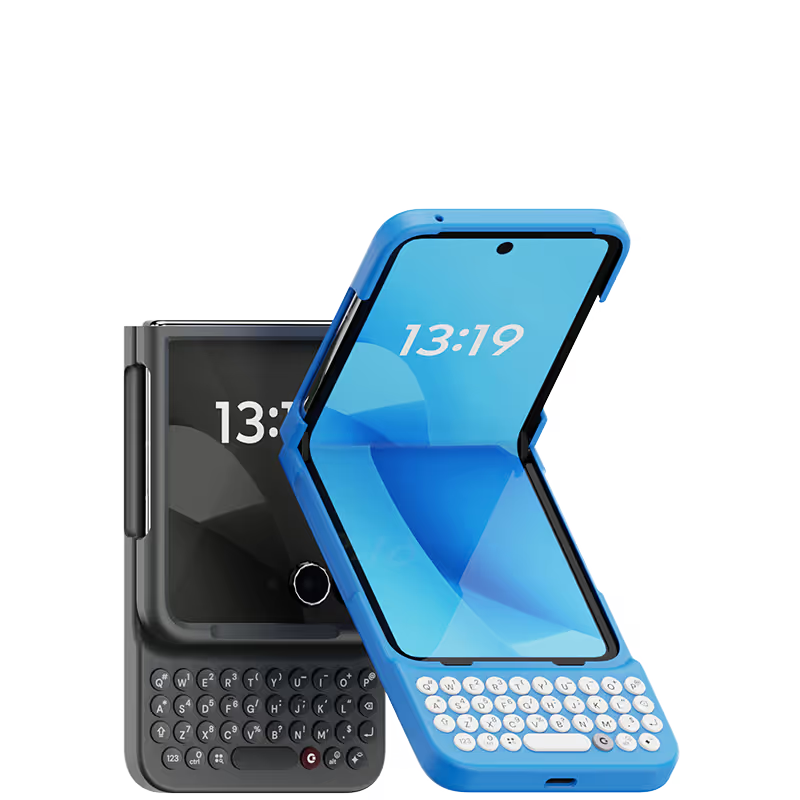
I started using the keyboard phone from Nokia to Blackberry to Samsung S8, and now with Clicks. I will continue to use Clicks for the upcoming iphone 16 if it is still available. And in iPhone 16, I can shift from Pro model to smaller screen model
I used to hate typing on my iPhone, but this keyboard has made it a pleasure. The buttons are easy to press and they have a nice clicky feedback. The keyboard also makes my iPhone feel more like a mini laptop, which I really like. I would definitely recommend this keyboard to anyone who struggles with typing on their iPhone.
Much much much fewer typos and misspellings. Also less cursing due to the need to edit. The only problem is finding an 8 inch belt pouch, i found one finally but it is zippered instead of magnetic flaps. Only one week using the Clicks. When I whipped it out at an Apple store the customer service technician had never seen a Clicks and reacted with amazement. I asked him they don’t’ sell Clicks among all their other accessories. He couldn’t answer.
I use the clicks at home, it's great to have the keyboard especially if you use apps like Superhuman that are heavy on shortcuts. In general, it's got a nice tactile feel, reminiscent of the good-old Blackberry keyboard. When I leave the house, I usually switch for a typical Apple magsafe case will alternate back and forth as I need. Things I'd like to see in the future: trackball for the cursor, magsafe support, add a flexible joint at the top for getting the phone in and out, built in battery.
I am a heavy blackberry fan/user. This is definitely the next Best thing :D
First, yes, it is bulky. There's no way around that. I think given what they had to work with, it was necessary. Second, this is an amazing attachment. It makes typing so much easier on my phone. Takes a little getting used to, which they have a tutorial for each day to learn something new, but my speed and productivity on this blows me away some days. I rarely write reviews. This was a good one though.
To start, I'd like to point out that I'm visually impaired. That gives me quite some trouble with touchscreen keyboards. So I've been using physical keyboard phones all my life starting with Nokia's and ending with a Blackberry Key2. The last few years there's almost no new phones in the physical keyboard niche market though and so i was pretty worried about how to keep using smartphones. That's until I read an article about Clicks keyboard. I was immediatly interested and intrigued. However, I'm nogt a big fan of the iPhone so i postponed purchasing it. That's until I read that it was compatible with the Nothing phone as well. I immediatly ordered both the Nothing phone and Clicks keybaord and I've been using it for a week now. It really is a lifesaver. There were some delays in the delivery but that can't spoil the fun. Now I'm hoping you will release the Clicks companion app for android as well so i can configure it properly. Built-in features like double space for interpunction and starting sentences with capital letters isn't working properly. But that are just minor issues. Overall I'm very gratefull to you for releasing this product and am looking forward to your future android products.
If you do a lot of typing on your iPhone, this keyboard is a must-have. It's so much easier and more comfortable to type on than the tiny on-screen keyboard. The buttons are well-spaced and have a nice tactile feedback. The keyboard also pairs easily with my iPhone and connects quickly. Overall, I'm very impressed with this product.
I've been completely satisfied with the Clicks for Pixel 9, I've been using Clicks for over a year now with the iPhone 15 model and am glad they've expanded to Android phones. I also appreciate the modifications made over time, including having a numpad vs the number row on the initial iPhone models, as well as the angled buttons. While I can't have a functional BlackBerry anymore, this product is the next best thing and I'm so grateful! 🤘
For those who have had keyboard phones in the past, you just pick it up and start using it without looking pretty quickly and you get the full screen real estate back to view more content.