.avif)

.avif)


I love my clicks keyboard. However, coming from Android (gboard), and BlackBerry previous to that, I really miss long press for alternate input. It would be amazing if you could add long press to input the symbols that are noted on the keys. I'm aware that this is difficult with iOS, but there are keyboard apps which do it so it should be doable with clicks.
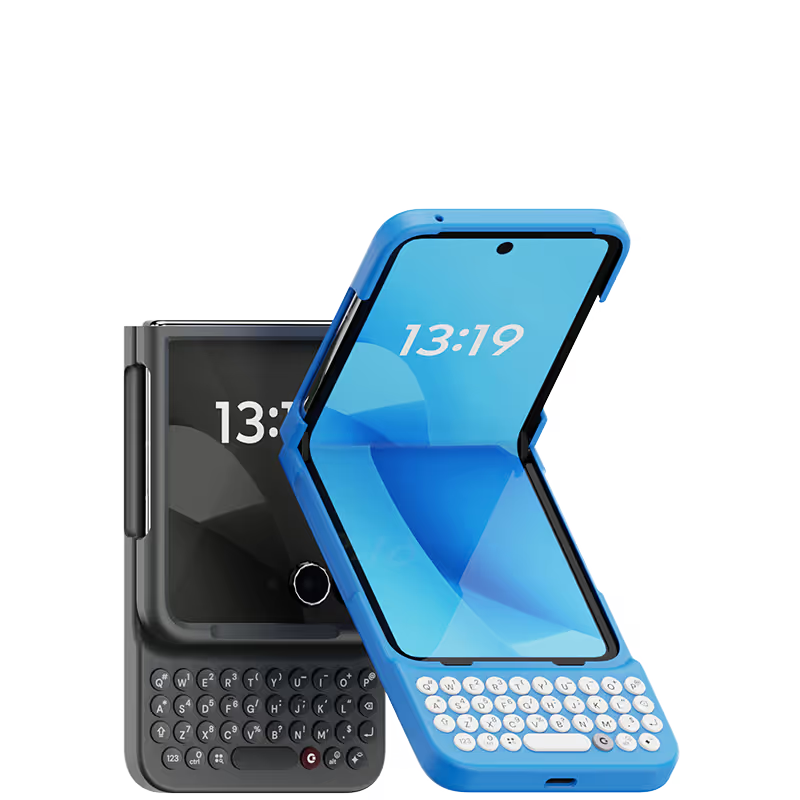
Attention, tech enthusiasts and keyboard warriors! Remember the nostalgic days of tactile typing on your mobile phones? The satisfying clickety-clack that accompanied every text message, email, and hastily written note? Relive those moments with Clicks for iPhone, a resurrection of the lost art of physical keyboarding. As a seasoned veteran of the mobile phone scene, I've witnessed the rise and fall of countless trends, but few have intrigued me like Clicks. This ingenious little add-on empowers you to transform your sleek touchscreen iPhone into a pocket-sized productivity powerhouse, enhancing your efficiency on the go. The Clicks keyboard is a marvel of engineering, with well-spaced keys that provide just the right amount of tactile feedback. Typing on it is like typing on a miniature laptop, but without the bulk or the awkward stares from fellow commuters. Sure, it takes a bit of getting used to. My thumbs initially felt like a fish out of water, flopping around in search of their digital home. But after a few days of practice, I was zipping through emails and social media posts with newfound speed and accuracy. And let's remember the sheer joy of hearing that satisfying click with every keystroke. It's a symphony of productivity, a rhythmic reminder that you're getting things done. Of course, there are a few minor quibbles. The Clicks keyboard adds a bit of bulk to your iPhone and makes it longer. But for those of us who prioritize function over fashion, these are minor sacrifices. So, if you're tired of hunting and pecking on your touchscreen keyboard or simply yearning for the tactile typing experience of yesteryear, give Clicks for iPhone a try. Your thumbs will thank you.
Using the native iOS shortcuts and setting up custom ones in the Shortcuts is where the real power behind this accessory comes into play. It's also refreshing to have the entire display of my iPhone 15 Pro Max visible, instead of having a pop-up keyboard that consumes a third of the screen. I also hate the default iPhone keyboard, and find third party keyboards to be mostly an exercise in frustration. Lots of lessons have been learned in the process, and the folks at Clicks truly brought their expertise and attention to detail with the design and build of the Clicks Keyboard. It is now an essential accessory for me, and I continue to figure out ways to make it better on a regular basis. If you miss the physical keyboard on devices like the Blackberry, this accessory is well worth the cost.
great service, fast exchange and replies. Would recommend
I love the feel the look, the more time I use it I love it more.
Great product, but unfortunately the keys and balance doesn’t work well well for me. I would also like the keyboard to be heavier or weighted. It made the phone too long and floppy. My hands have some flexibility limitations, so the product just wasn’t right for me. A modified case with a battery bump, under the keyboard and extending towards the top of the phone, might help the phone’s holding balance with the additional benefit of an external battery pack. Just a thought for a future version.