



The keyboard is very useful easily To use and back lit in dark rooms It’s a shame that you can’t have (on the go ) c'est la vie but charging ok
I'm a writer, and I do a lot of typing on my iPhone. This Clicks keyboard has made a huge difference in my productivity. It's so much faster and more accurate than the on-screen keyboard, and it's really comfortable to type on. I also love that it's so lightweight and portable. I can take it with me wherever I go and get some work done.
I purchased Clicks keyboard for Iphone 15 and been using it on my Iphone 16e. It is working on all aspect and very smooth to use. It is easy to use at about 1 week of daily use. The only downside is when using it with Tiktok.
I love the ability to use a physical keyboard again. Easy to attach and detach as needed. The shortcuts are great. Love the backlight customization. Overall meets all my needs and gives me a break from purely digital world. Five stars.
Overall, very satisfied with Clicks. First off, it’s great being able to see a full screen. I have an iPhone 16 Pro Max, and seeing that giant screen is awesome. Years ago I used to use a Blackberry for work. I don’t know if it’s muscle memory or what, but I felt quite comfortable using the keyboard right away. And I feel like I make fewer typos on the keyboard than the screen. That being said, I do switch between the Clicks keyboard and the iPhone’s. I couldn’t tell you exactly why, except sometimes I just like to switch things up. And while mastering the keys has been fairly easy, getting a comfortable grip and typing (especially with a larger phone like the 16 Pro Max) can sometimes be challenging. The phone becomes very “top heavy” while you’re using Clicks, and so I’ll switch to the iPhone screen, just because it’s a change up for your fingers and grip. But I like having both keyboards, and ability to change back and forth. I can’t say the Clicks would ever become my full-time keyboard, but I will say it’s a great complimentary keyboard, and offers me flexibility, which I enjoy. Lastly, I should that this product feels really well made, and the “keyboard feel” is excellent. The only room for improvement in my mind would be if they could extend the backlight time beyond 10 seconds. The brightness level of the keyboard is excellent.,
I can’t use an iPhone without Clicks now. Using one on my personal 16 Pro and my work 15. I even grabbed one to use for my Nothing Phone 1 device so I have Clicks on Android. If physical/qwerty is a need, you owe it to yourself to get a Clicks case.
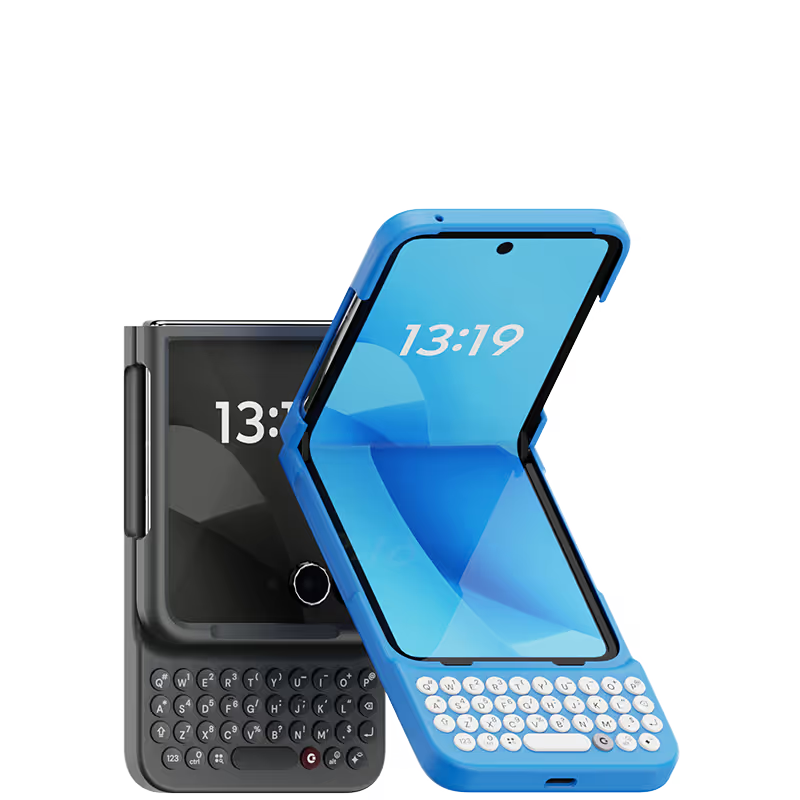
Absolutely love Clicks !! As someone who appreciates tactile feels, the joy of having physical keys on my phone brings me back to the happy innocent days . Combining it with Razr gives me the best of bothworlds. The convenience of a flip phone and having a physical keyboard. I really hope that Gen 2 will have move customisable buttons and include home and back button so the only time I touch my phone screen will be to have a closer look at that weird thing on my skin ! Thanks Clicks for the creation Special thanks and credit to Amber from Support who sorted out the delivery issues faced.
Loving using Clicks on my Razr+ (2025)... Long time BlackBerry user and seamlessly transitioned into using the Razr+Clicks combo. For the most part while out and about, I keep the phone closed so Clicks makes for an efficient and enjoyable texting experience on the outer screen. Though also quite surprised the phone doesn't feel too unwieldy when open. Love the form factor to retain the keyboard while still being a pocketable phone. Highly recommend and looking forward to any improvements in future products!!
Using the native iOS shortcuts and setting up custom ones in the Shortcuts is where the real power behind this accessory comes into play. It's also refreshing to have the entire display of my iPhone 15 Pro Max visible, instead of having a pop-up keyboard that consumes a third of the screen. I also hate the default iPhone keyboard, and find third party keyboards to be mostly an exercise in frustration. Lots of lessons have been learned in the process, and the folks at Clicks truly brought their expertise and attention to detail with the design and build of the Clicks Keyboard. It is now an essential accessory for me, and I continue to figure out ways to make it better on a regular basis. If you miss the physical keyboard on devices like the Blackberry, this accessory is well worth the cost.
Having this and switching to the Razr has been a game changer for my productivity. I love this keyboard so much I decided to mod it to be able to have a protective hinge mechanism for my phone as seen on other cases. I've heard of this keyboard having some connectivity issues from other users, from my understanding it's the fault of Moto's UI of how it interacts with Clicks. I recommend going into settings and making sure the keyboard is set to always running in the background so that if you close any/all tabs on the Razr, the keyboard will remain connected. There's a YouTube video that goes into further details about this. Since troubleshooting this issue as soon as I've received my case, I have not faced such problems.