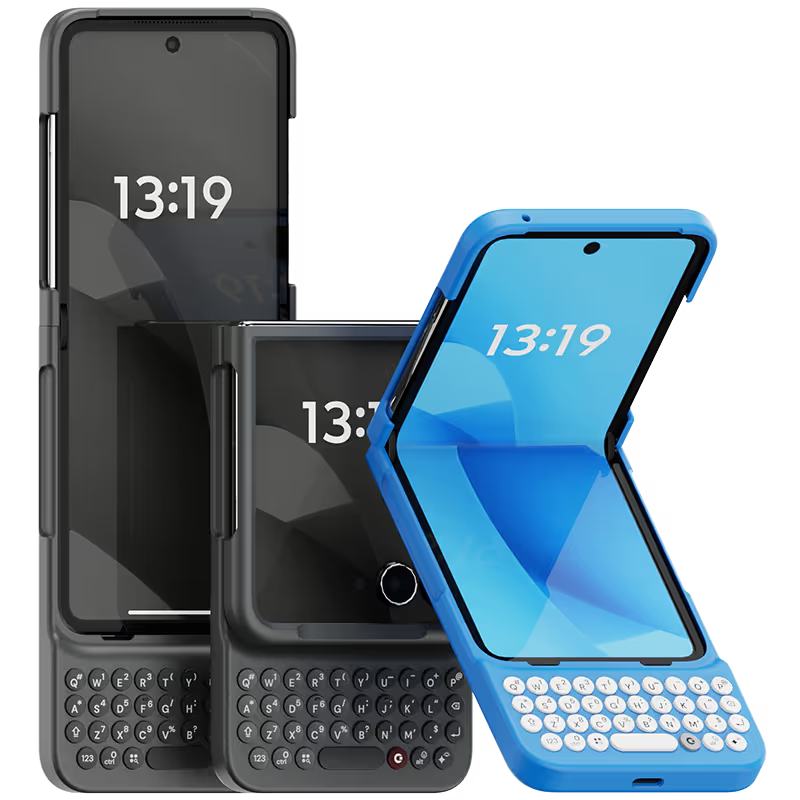
Why you'll love Clicks.

1
Feel satisfying real buttons
Pressing real buttons and hearing that little clicking sound feels more natural and rewarding.
Replay
2
Elevated premium protection
Brushed metal side keys, a microfibre lining, and a new enclosure that feels great while adding protection inside and out.
Replay
3
See more screen
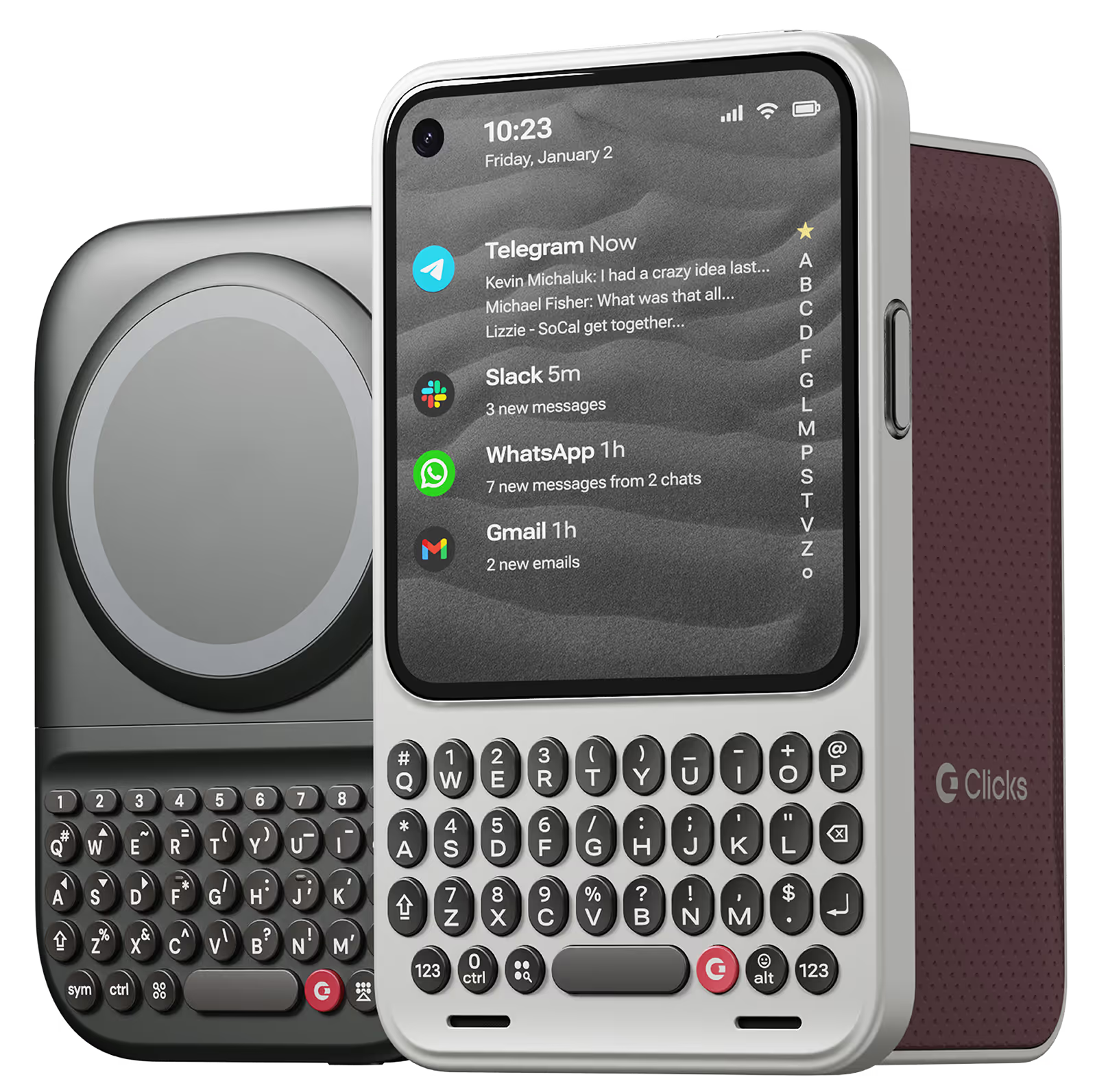
Free your screen, with 50% more usable display to work, play, surf, chat and engage with your content.
Replay
4
Take action, faster
Launch customized shortcuts at the push of a button. Personalize your keyboard to control your home, launch apps, text or call contacts.
Replay
5
Keep your laptop at home
Make more happen right from your phone without needing to crack open your laptop.
Clicks for iPhone
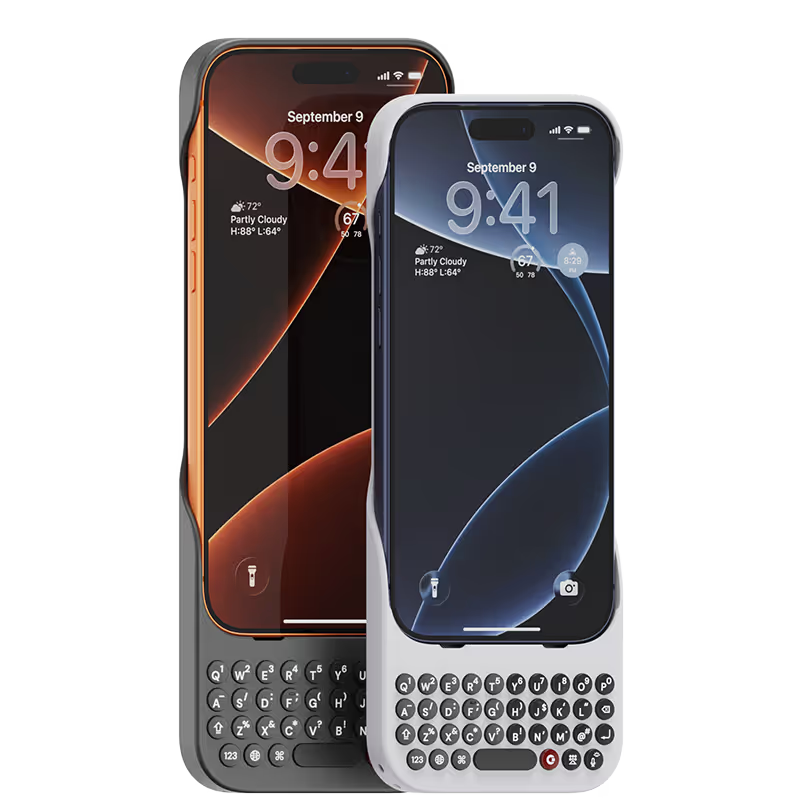
Available for iPhone 17, 16, 15 and 14.
In stock & shipping now.
Buy Now
Clicks for Pixel
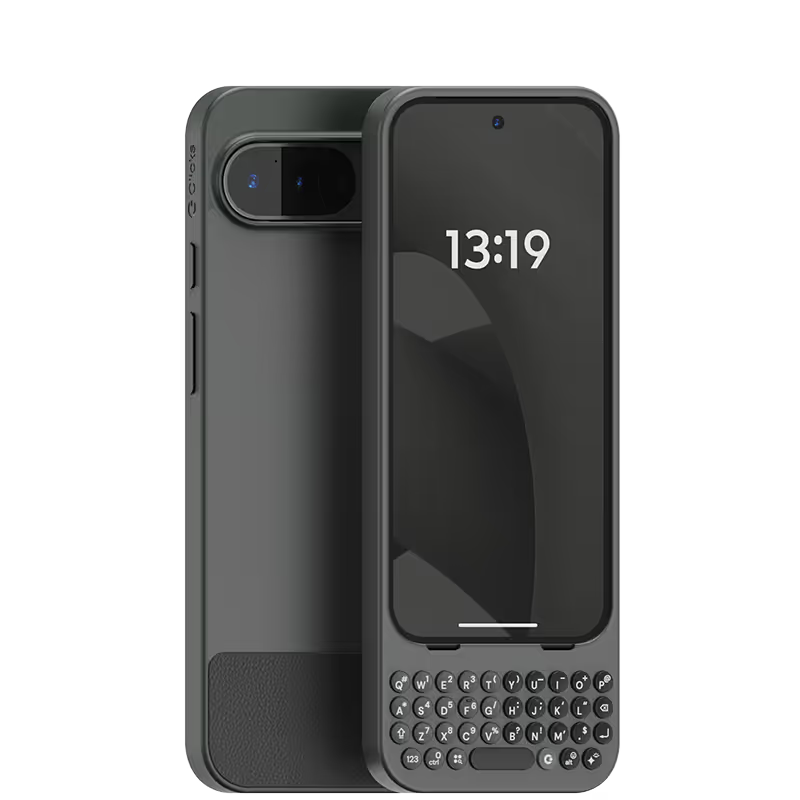
Pixel-perfect productivity.
Available now.
Buy Now
Clicks for Razr
Pocket-sized. Power-packed.
Available now.
Buy Now

Buttons with benefits.

More Screen

Get 50% more usable display to work, play, surf, chat and engage with your content.

Customizable Shortcuts

Launch custom actions at the push of a button.

Powerful Productivity

Real buttons that help you work smarter while away from your desk.

What Clicks users are saying.

Based on 5,328 user reviews.
Aimee W.
Clicks for iPhone 16

i have been using clicks for over a week now and I love it, best choose I made. As soon as I saw the case out the box I was wowed by it and knew instantly I would love it. I’m getting used to using the physical keyboard now, I love the shortcuts you can make as well. I can’t see going back to using one of my other cases I love using clicks that much, defiantly recommend.

Visit source
Israel M.
Clicks for iPhone 15 Pro

I bought 2 of these cases. One for me, and the other for my partner. We both love our cases. They’re great for Accessibility. We’re both visually impaired, and love having a tactile keyboard on our phones, freeing up our screen real estate to have access to buttons that get hidden by the onscreen keyboard on forms. Our only complaint was the non-inclusion of MagSafe. But we remedied that by buying the ESR halo lock 360, and adhering it to the back of the cases. Overall, we both highly recommend this product.

Visit source
Danny Santelana
Clicks Keyboard for iPhone 16

I've missed a physical keyboard since 2014, I am so glad to have one back.

Visit source
Nigel Green
Clicks Keyboard for iPhone 16

Typing on the iPhone is no longer a chore with the Clicks keyboard. Keyboard shortcuts are also excellent. I contacted support with a technical question and they responded within 5 minutes answering my query. For me this is a must have accessory from a great company.

Visit source
Semen Avilov
Clicks Keyboard for iPhone 15

Very easy to adjust and start typing! Love it from the first day

Visit source
Joanie D.
Clicks for iPhone 15 Pro

I was very excited to return to a keyboard for my iPhone. The concept and design are high quality, and obviously well thought out. I found the customer service to be excellent. I would recommend it.

Visit source
Sarah B.
Clicks for iPhone 14 Pro

I was hesitant about a clip-on keyboard for phones, but this Clicks Keyboard has completely changed my mind. The buttons have a great feel to them, just like a real keyboard, and they make typing so much faster and more accurate. The design is also very sleek and professional-looking. I don't regret this purchase at all!

Visit source
Teo T.
Clicks for iPhone 14 Pro

As a long-time fan of physical keyboards and a former BlackBerry user, I was thrilled to discover the Clicks keyboard for iPhone. This innovative accessory brings back the tactile typing experience many of us have been missing in the era of touchscreen smartphones. **Design and Compatibility** The Clicks keyboard seamlessly combines the best of both worlds – the versatility of an iPhone with the satisfying feel of a physical keyboard. It's designed to work harmoniously with the iPhone, creating a nostalgic yet modern device that caters to those who crave tactile feedback while typing. **Typing Experience** While my typing speed hasn't significantly increased, I've noticed a marked improvement in accuracy. The physical keys allow for more precise input, reducing the frustration of autocorrect mishaps common with on-screen keyboards. As with any new input method, there is a learning curve, but I've found my proficiency improving week by week. **Standout Features** The most impressive aspect of the Clicks keyboard is its shortcut functionality. The ability to open specific apps directly from the locked screen is a game-changer, especially for users with numerous applications. This feature significantly streamlines the user experience, saving time and reducing the frustration of searching for the right app. **Customization and Accessories** To enhance the Clicks keyboard experience, I've made a couple of modifications: 1. Added a low-cost MagSafe ring to the back for convenient charging. 2. Improvised a holding band to improve grip and typing comfort. These small additions have further improved the usability of the device, making it even more tailored to my needs. **Learning Curve** It's worth noting that adapting to the Clicks keyboard may take a few weeks for some users. However, the investment in time pays off as typing speed and accuracy continue to improve with regular use. **Conclusion** For iPhone users who miss the tactile feedback of physical keyboards, the Clicks keyboard is a dream come true. While it may not dramatically increase typing speed, it offers improved accuracy, fantastic shortcut capabilities, and a nostalgic typing experience. With a bit of patience during the adaptation period, this accessory can significantly enhance your iPhone usage, especially if you're a heavy typer or app user. Reference Photos https://i.ibb.co/fNqRR2v/IMG-0022.jpg https://i.ibb.co/8gGbGzv/IMG-0023.jpg

Visit source
Andres Medina
Clicks Keyboard for iPhone 16

I just purchased the Clicks for my 16 Pro Max, delivery was fast and im really happy with the design and quality.

Visit source
pepito duran
Clicks Keyboard for Razr (2024)

I cannot recommend Clicks enough. Having my screen freed up as well as a tactile keyboard is great. The support team are also very helpful and polite, should you need help or advice.

Visit source

Clicks has you covered.
Try for 30 days.

It takes a week or two to get used to typing on real buttons –  you’ll need a little bit of patience and perseverance. Trust our tens of thousands of customers, it’s so worth it!

If it’s just not for you, we’ll give you your money back, no questions asked.